01
Make it your own.
Add your work details, choose your currency, and set an hourly rate or monthly salary.
Your work. Your rules.Meet ClockPay
Plan your shifts, track your hours, and know your estimated pay. Make more room for life.
For iPhone and Android
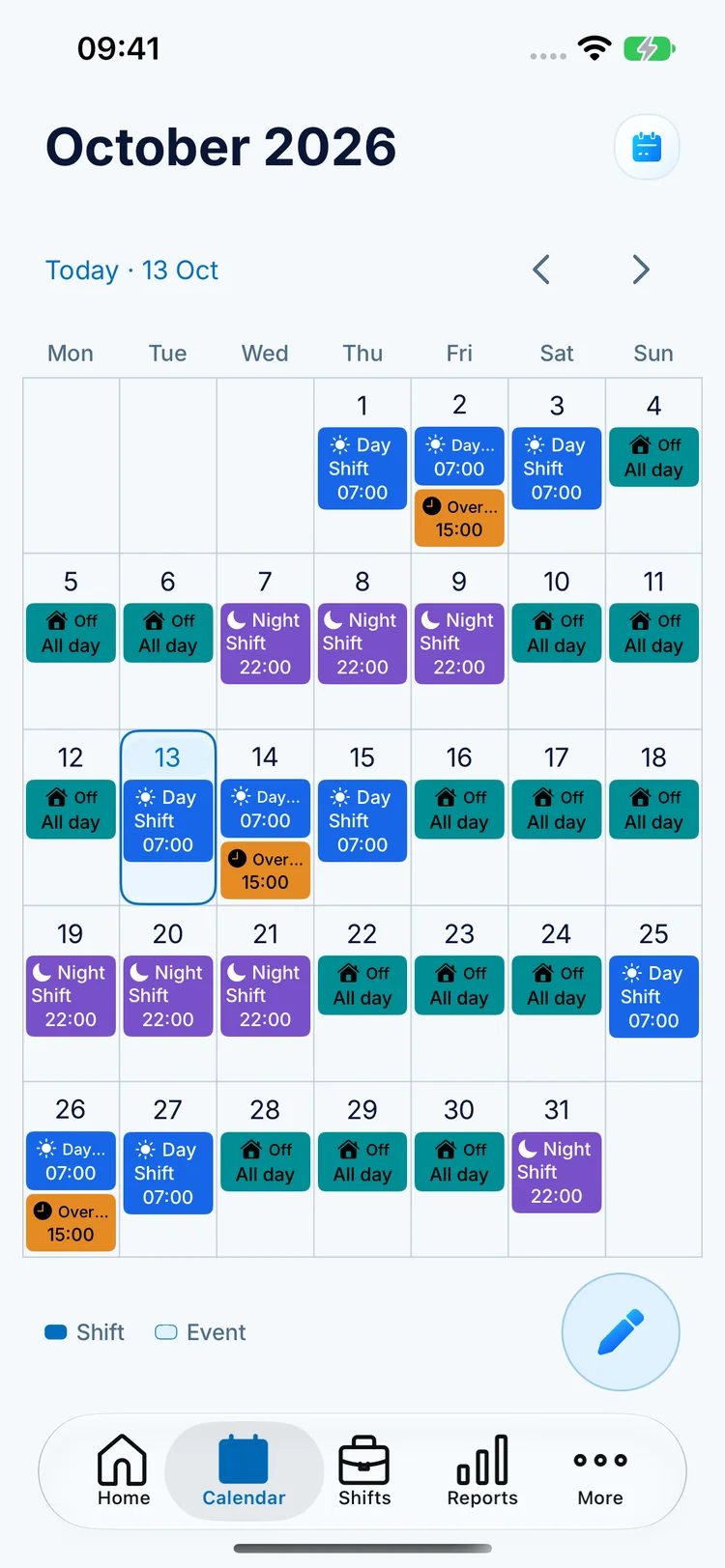
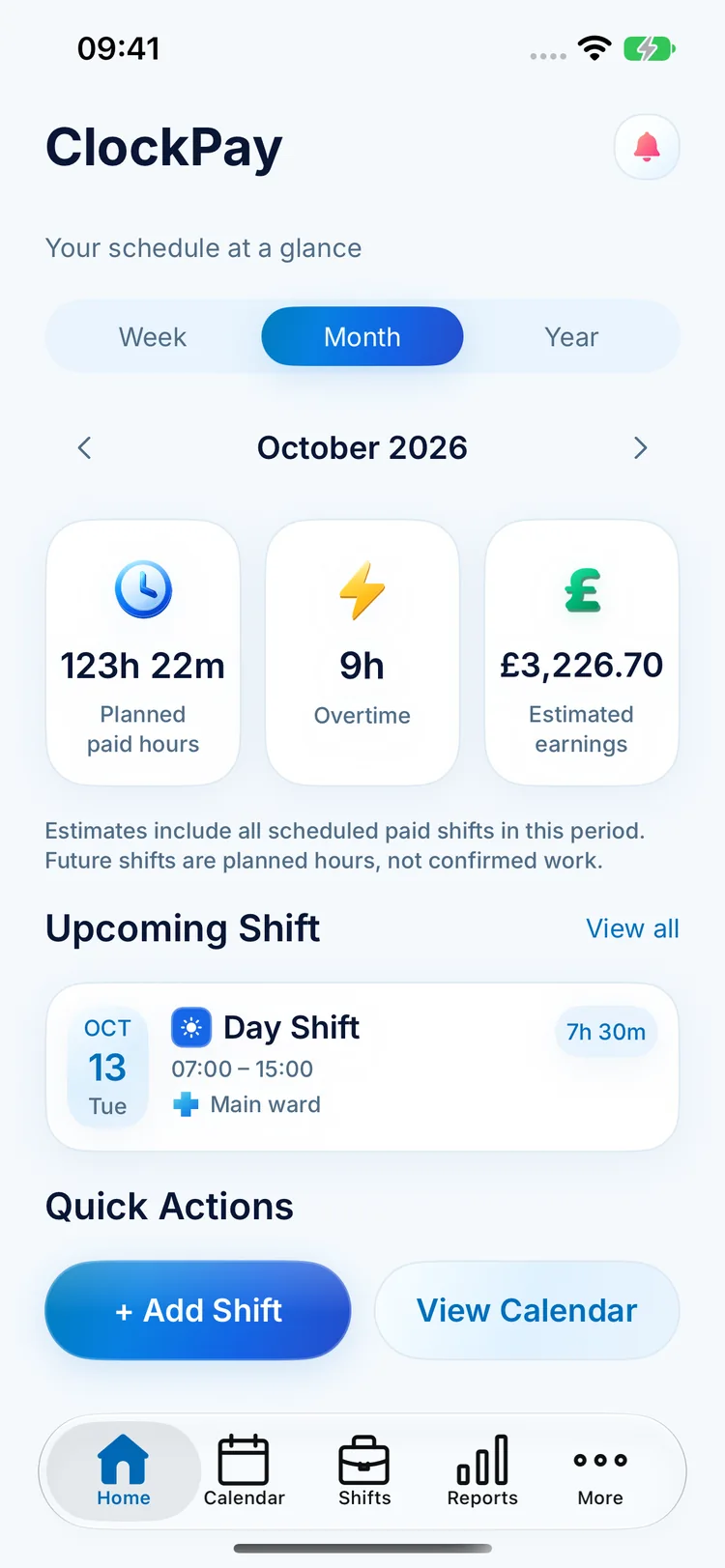

Actual app screens · Example schedule
For life beyond
the nine-to-five.
 Early starts
 Late nightsChanging shiftsWell-earned days off
Less keeping it all in your head.
More having it all in your pocket.
A few small steps. A much clearer week.
Add your work details, choose your currency, and set an hourly rate or monthly salary.
Your work. Your rules.
Add shifts, save your go-to templates, or apply a rotation. Give every kind of day its own colour.
One less thing to remember.
Check what's next, review your estimated pay, and make plans around the time that's yours.
More room for the good stuff.
Shift reminders, alarms, and Home Screen widgets keep your next workday close at hand.

Set pay rules for overtime, nights, weekends, and holidays. See how they shape your estimated earnings.

Your shifts, notes, and pay settings are stored on your device. No account needed to plan your days.
Your shifts, hours, and estimated pay.
Right where you need them.
 Everything
Anyone whose work doesn't fit neatly into a nine-to-five. Plan day shifts, night shifts, rotating schedules, and time off in one place — whether you work in healthcare, hospitality, retail, or another shift-based role.
Yes. Save individual shift templates or build a repeating rotation of workdays and days off, then apply it to a date range. You can still adjust individual shifts when plans change.
No. ClockPay estimates earnings from your scheduled shifts and configured pay rules. Future shifts are planned hours, not confirmed work. Your employer's payroll, deductions, and actual hours determine your final pay.
Yes. Export earnings estimates as a CSV file for use in a spreadsheet, or export your schedule as an ICS file for a compatible calendar app.
No account is required to organise your schedule. Work records, notes, and pay settings are stored locally on your device. See the Privacy Policy for details about subscriptions and data.
Download ClockPay from the App Store for iPhone or Google Play for Android. Choose your platform and start planning your shifts.